

SAP is one of the top enterprise software providers and helps businesses manage Finance, Sales, Inventory, HR, manufacturing, and many more aspects. Their software connects various departments to efficiently manage and handle information for businesses to make better business decisions.
SAP stands for Systems, Applications, and Products, and they develop Enterprise Resource Planning software. They provide businesses with software to help them manage their business through various business apps. These range from manufacturing, retail, health, banking, logistics, information technology, and much more.
SAP are a German enterprise software company who develop applications to help businesses manage their operations. The software connects processes within the business so departments can share information. For example, if a customer places an order, SAP will connect the sales, inventory, warehousing, delivery, and finance accounts. This helps businesses manage their orders efficiently and keep accurate records.
SAP is often used to refer to the software within the enterprise software ecosystem. Its main ERP offering is SAP S/4HANA, which helps businesses with essential functions. Depending on the needs of your business, size, industry, and tech, you can choose from various SAP products.
What is SAP?
SAP is an acronym for Systems, Applications, and Products in Data Processing. It is a German-based multinational software enterprise that creates enterprise software to aid the day-to-day activities of businesses. SAP was established in 1972 by five former IBM employees and is known as a Germany-based company, with headquarters in Walldorf.
One of the most notable achievements of SAP is its suite of Enterprise Resource Planning (ERP) software, which enables a company to run multiple business processes in a unified system. Some of these activities are finance, accounting, human resources, sales, purchasing, inventory, production, and supply chain.
Businesses use SAP software to collect, organize, process, and analyze data in a single source location. Companies can integrate their processes and share business data more efficiently, rather than having separate systems for their various departments.
SAP S/4HANA, SAP Business One, SAP SuccessFactors, and SAP Ariba are some of the popular SAP products. Every product caters to different business needs, ranging from financial management, enterprise planning, and employee management to procurement.
Businesses in multiple industries, including manufacturing, retail, healthcare, banking, automotive & information technology, rely on SAP. Its solutions benefit companies of all sizes to boost efficiency, optimize resources and enable business decisions.
SAP also offers career paths to professionals in other roles, including SAP Consulting, Development, Administration, Finance, and Data Management.
| Company Detail | Information |
| Company Name | SAP SE |
| Full Form | Systems, Applications, and Products in Data Processing |
| Founded | 1972 |
| Headquarters | Walldorf, Germany |
| Industry | Enterprise Software and Information Technology |
| Main Business | ERP and Enterprise Applications |
| Flagship ERP | SAP S/4HANA |
| Key Technologies | Cloud Computing, AI, Data Analytics, Automation |
| Official Website | sap.com |
Today, SAP serves organizations across various industries and provides enterprise applications that support business operations, data management, and digital transformation.
SAP History and Owners
SAP SE was established in Germany on April 1st, 1972, by five former IBM employees: Dietmar Hopp, Hasso Plattner, Claus Wellenreuther, Klaus Tschira, and Hans-Werner Hector. The company started its activities as a private partnership under the name Systemanalyse Programmentwicklung (System Analysis Program Development). It was to create software that could incorporate business processes and also process data in real time.
SAP’s first financial accounting software, called RF, was released in 1973. The company kept on developing business applications, and in 1979 it introduced SAP R/2. SAP was listed in the public market in 1988; its shares were traded on the Frankfurt Stock Exchange. It was with the introduction of SAP R/3 (1992) that its international reach grew.
Ownership: SAP SE is a public firm, where no single person owns it. It is held by institutional investors, investment funds, and individual shareholders. The five founders were all important players in the founding of the company, and for decades Hasso Plattner was a prominent shareholder and leader.
What Is SAP Software Used For?

SAP software is used by businesses to streamline daily activities using an integrated set of applications. The main benefit of the software is that it helps businesses work more efficiently.
Financial Management
SAP can be used for accounting, financial reporting, budgeting, cost control, and financial planning. The finance team will be able to keep track of transactions, produce reports, and monitor business performance.
Human Resource Management
SAP provides human resource management solutions to allow businesses to manage employee records, recruit new staff, onboard employees, manage performance, provide training, and plan workforce needs.
Inventory Management
SAP allows businesses to keep track of stock, manage materials, and keep track of inventory. This helps businesses improve their stock visibility.
Sales and Distribution
SAP can be used to process sales orders, pricing, delivery planning, billing, and other sales-related transactions. By integrating sales with inventory and finance, it helps organisations keep track of customer orders.
Production Planning
Manufacturing businesses can use SAP to plan production, keep track of materials needed, and manage production. This helps businesses to keep track of their resources.
Business Analytics
SAP provides analytics solutions to help organisations analyse information, create reports, and monitor KPIs. This can help managers to make informed decisions.
SAP Products and Solutions
SAP provides a variety of enterprise applications.
SAP S/4HANA
This is an Enterprise Resource Planning (ERP) application suite that can help with finance, procurement, manufacturing, sales, inventory, and other business activities. It uses the SAP HANA database to provide fast processing speeds.
The solution can be deployed using one of the supported cloud or on-premises solutions.
SAP Business Technology Platform
The SAP Business Technology Platform (SAP BTP) provides application development, integration, data, automation, and AI services. It can be used by developers to enhance SAP applications and integrate enterprise systems.
SAP SuccessFactors
This focuses on human capital management. It can help with recruitment, employee development, performance, learning, and workforce planning.
SAP Ariba
This can be used for procurement and supplier collaboration. Businesses can manage their procurement processes and communicate with suppliers.
SAP Concur
This can help businesses manage business travel, expenses, and other financial processes. This can help to streamline expense management.
SAP Business One
This is an ERP solution designed mainly for small and medium-sized businesses. It can help with accounting, procurement, sales, inventory, and reporting.
Also, Explore: The Wellness Co.: Services, Treatments, Therapies, Benefits, Locations and Complete Guide
Main SAP Modules
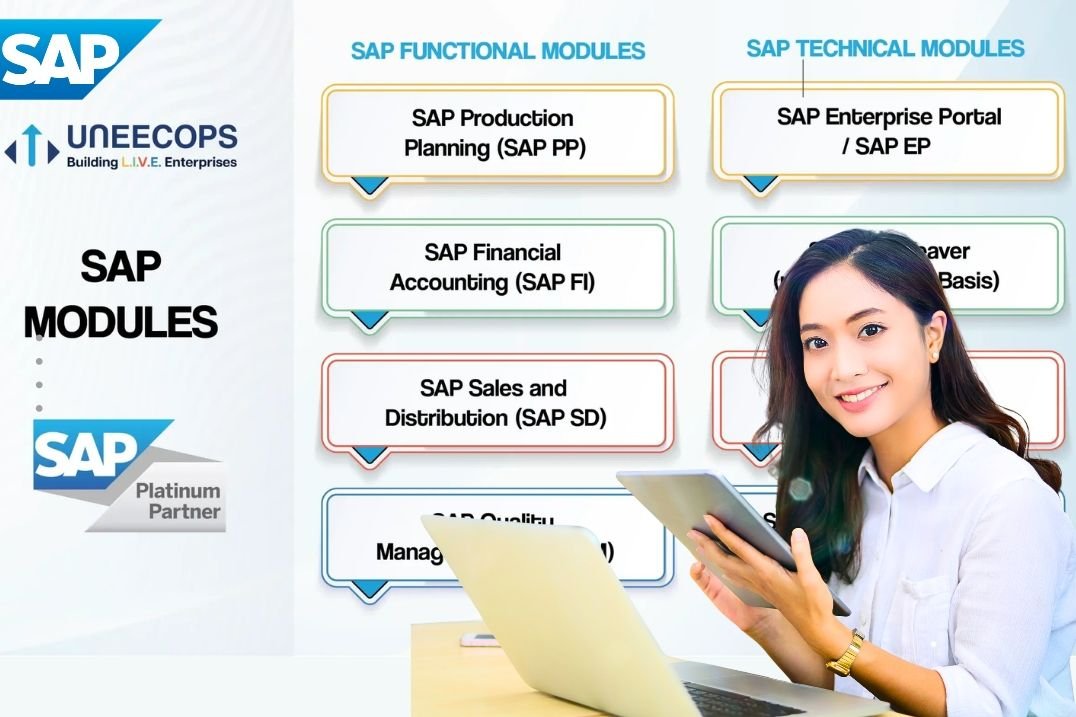
SAP modules are a way of breaking down the different functions within the enterprise applications. Traditionally, there would be modules such as;
| SAP Module | Main Purpose |
| SAP FI | Financial accounting and reporting |
| SAP CO | Cost management and profitability analysis |
| SAP MM | Materials management and purchasing |
| SAP SD | Sales orders, deliveries, and billing |
| SAP PP | Production planning and manufacturing |
| SAP HCM | Human resource management |
| SAP QM | Quality planning and inspection |
| SAP PM | Plant and equipment maintenance |
| SAP EWM | Extended warehouse management |
| SAP ABAP | Custom application development |
| SAP Basis | Technical administration of SAP environments |
How to Login to SAP?
A user normally requires an SAP account or login data from their organisation to log on to SAP software.
- To log in to SAP: Log in to your organization’s SAP login portal or SAP Fiori launchpad.
- Enter the assigned username or e-mail.
- Enter your password.
- Set up two-factor authentication (two-step verification) (if necessary).
- Step 5: Tap the Log On/Sign In button.
- Once you are authenticated, log in to the SAP applications and modules that have been assigned to you.
Note: SAP logon credentials and SAP portal URL vary according to the company and SAP product that’s used.
Benefits of Using SAP Software
There are several benefits that can be provided by SAP.
- Increased productivity: Business processes can be linked together and repetitive tasks automated.
- Centralised Information: Having integrated applications can ensure that all information is kept in one place and relevant information can be passed between departments.
- Improved Decision Making: With reporting and analytics functions, you can gain insight into sales, finance, inventory, and operations.
- Improved Inventory Management: Inventory functions can help businesses to keep track of their stock, manage the flow of materials and plan your purchasing.
- Financial Applications: SAP can help with accounting, reporting, cost management, and financial planning.
- Scalable: You can choose applications that fit your needs and scale your software.
Career Opportunities
If you are interested in enterprise software, business processes, programming, databases, and analytics then SAP can provide career opportunities. Popular career options include:
| Job Role | Responsibilities |
| SAP Functional Consultant | Configures applications according to business requirements |
| SAP ABAP Developer | Develops and maintains custom SAP applications |
| SAP FICO Consultant | Supports financial accounting and controlling |
| SAP MM Consultant | Works with purchasing and materials management |
| SAP SD Consultant | Supports sales and distribution processes |
| SAP Basis Administrator | Manages technical SAP environments |
| SAP Security Consultant | Manages system access and authorization |
| SAP BTP Developer | Builds and integrates enterprise applications |
| SAP Data Analyst | Analyzes business data and creates reports |
How to Learn SAP as a Beginner
Understand ERP basics and business processes. Choose an area of interest.
Students interested in accounts can look into SAP FI/CO. Students interested in supply chain can look into SAP MM or other logistics applications. Computer science students may be interested in SAP ABAP, SAP BTP, databases, and application integration.
- Learn ERP basics and understand business processes
- Choose a suitable SAP specialism.
- Understand the relevant applications.
- Use available SAP learning environments.
- Complete hands-on tasks.
- Look into certifications and junior roles.
- Courses and learning paths can be found on the official SAP learning site.
Conclusion
SAP is a major enterprise software provider that helps organizations integrate business processes, manage information, and improve operational efficiency. Its products support finance, human resources, procurement, manufacturing, inventory, analytics, and customer management.
Solutions such as SAP S/4HANA, SAP Business Technology Platform, SAP SuccessFactors, SAP Ariba, and SAP Business One serve different business requirements.
For students and professionals, SAP provides career opportunities in functional consulting, software development, system administration, and data analytics. Learning ERP fundamentals, choosing a specialization, and gaining practical experience can help beginners build a foundation for a career in SAP.
FAQs
SAP stands for Systems, Applications, and Products in Data Processing.
SAP helps businesses manage finance, procurement, sales, inventory, manufacturing, human resources, and reporting through integrated applications.
SAP is an enterprise software company. SAP software refers to the business applications developed by the company.
The right module depends on your interests. Finance students can explore SAP FI, supply chain enthusiasts can study SAP MM, and computer science students can consider SAP ABAP or SAP BTP.
Yes. Computer science students can explore SAP development, application integration, databases, analytics, and cloud technologies. Programming and database knowledge can be helpful for technical SAP roles.
Also, Read –
Workday: Features, Benefits, Payroll, Pricing, and Complete HR Software Guide

